Core features
Free
Write wishes, mark achievements, keep photos and notes, imagine your future, reflect, back up and restore, and use basic designs. Sharing and community reactions are also available.
 My Dreams 100
A bucket list that feels like you
A weekend away. A recipe to try. A life you’re curious about.
Keep your wishes on cards you’ll want to open again.


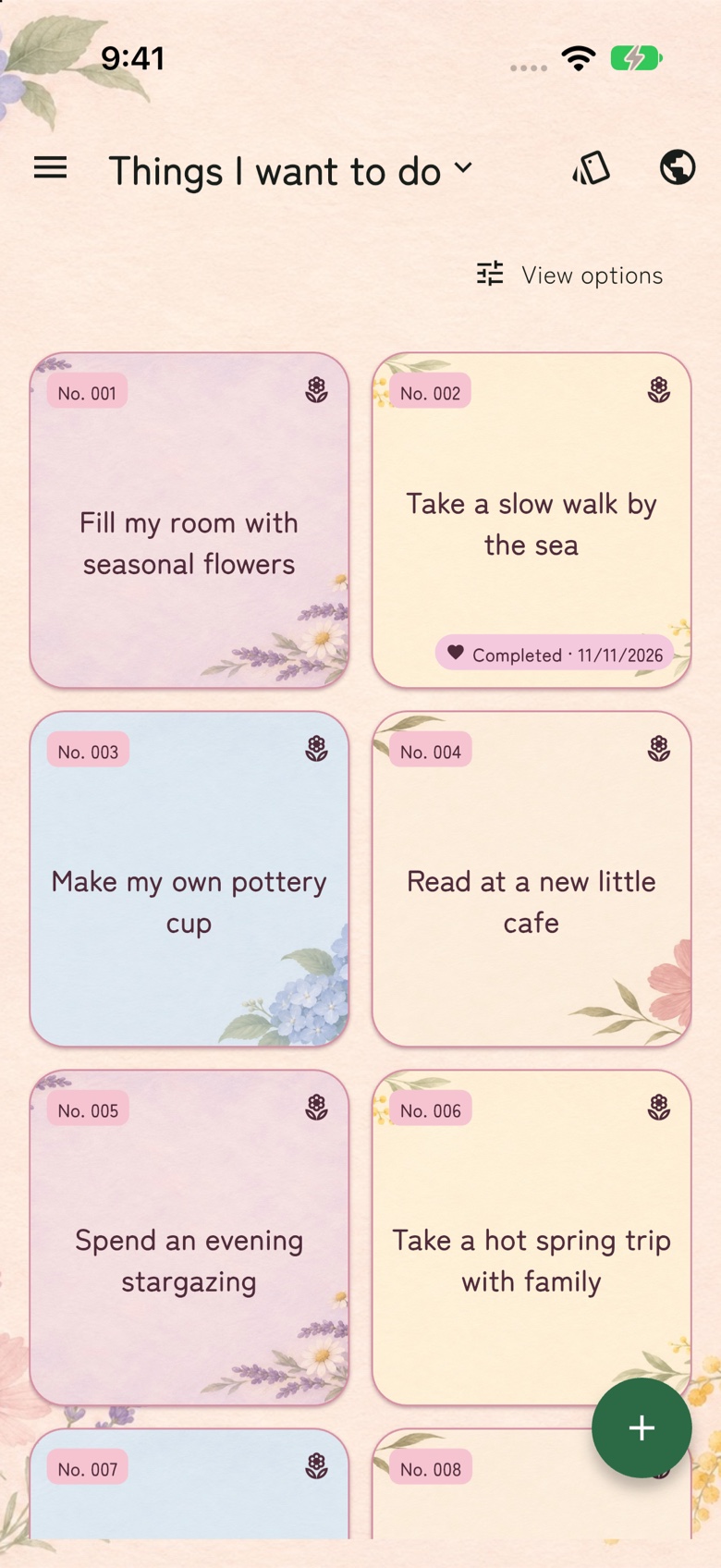
Before a hundred, start with one.
A quiet café, a book you meant to read, someone you’d like to see. Write things as they come to you and choose cards you enjoy. Each time you open your list, you can pick something to try next.
Use questions and ready-made ideas to discover things you want to do.
Choose a card design, wallpaper and colors you like.
Keep the steps you took and the things you felt along the way.
01 / Find it
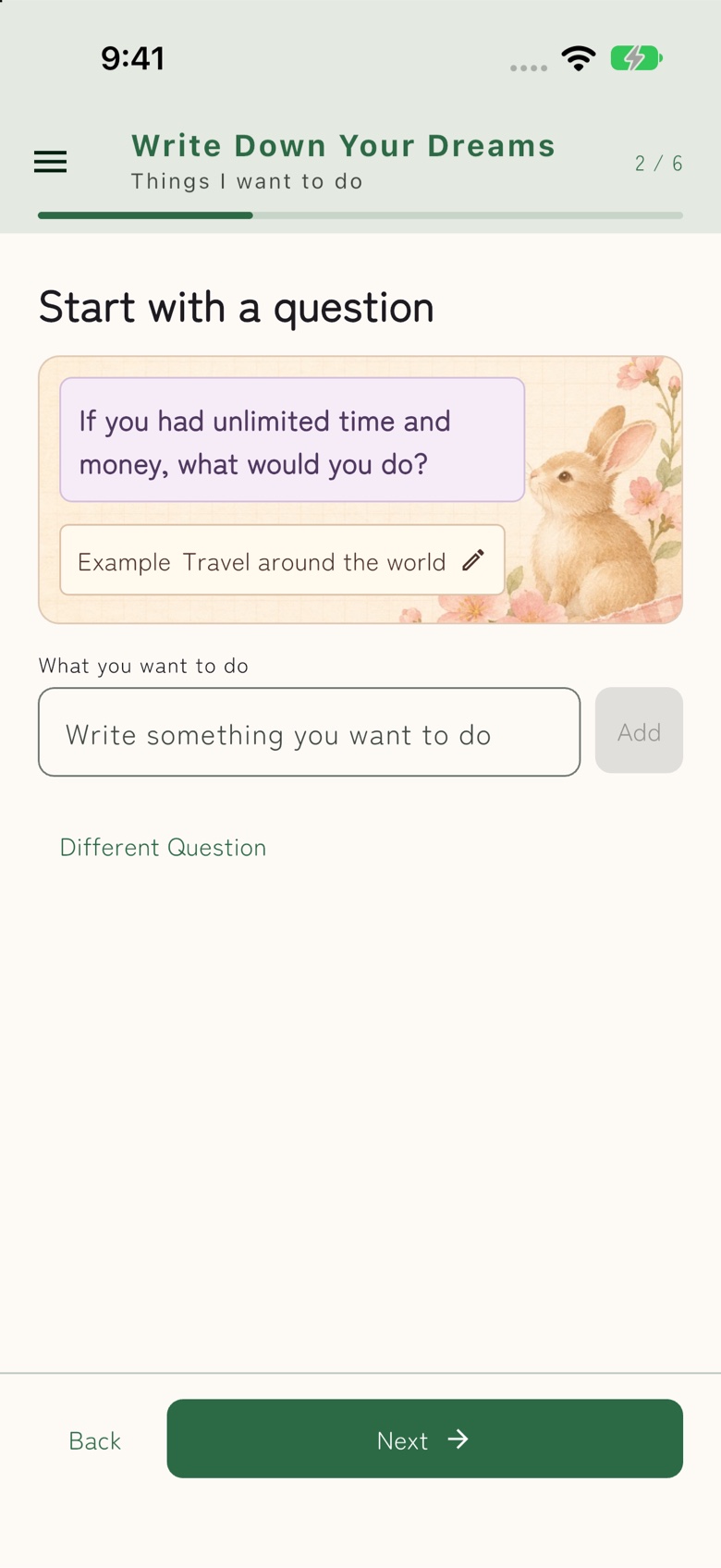
You don’t need a hundred ideas at once. Answer a question or explore ready-made ideas, then put what matters to you into your own words.
“If you had unlimited time and money, what would you do?”
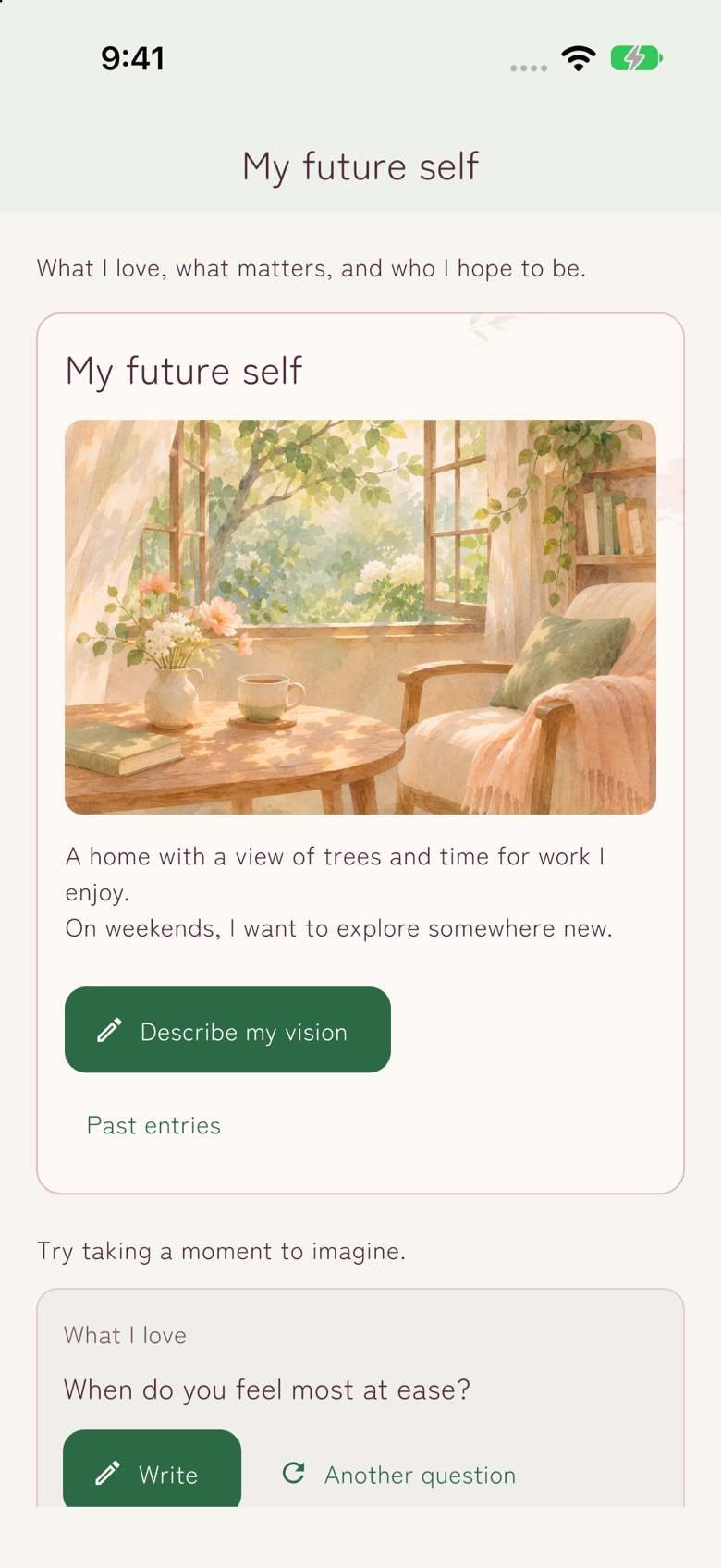
Keep your interests, values and thoughts about the future in “My future self.”
02 / Make it yours
A simple list one day, a sticker journal the next. Combine card designs, wallpapers and theme colors to give your list its own character.



These three designs require a one-time purchase or an active Premium subscription. Free basic designs are also available.
03 / Imagine what’s ahead
How would you like to spend your days a few years from now? Keep the thoughts you have today, even before you know the answer. Add a photo or an illustration from the app and revisit it later.
Your “My future self” answers are saved on your device and are not automatically shared.
04 / Look back
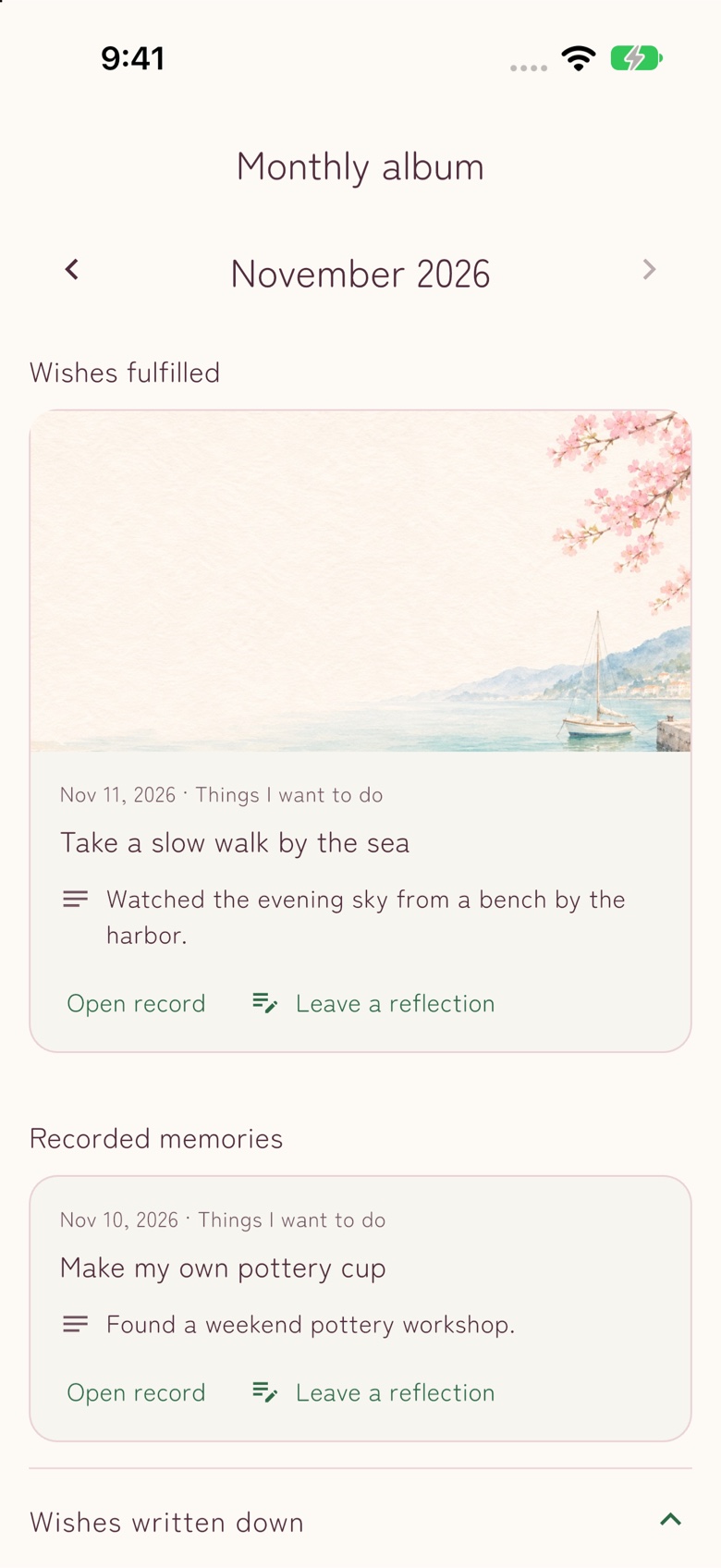
Add photos and notes to your achievements. The monthly album brings together what you did and what you recorded. Small steps along the way belong there, too.
When a little inspiration would help
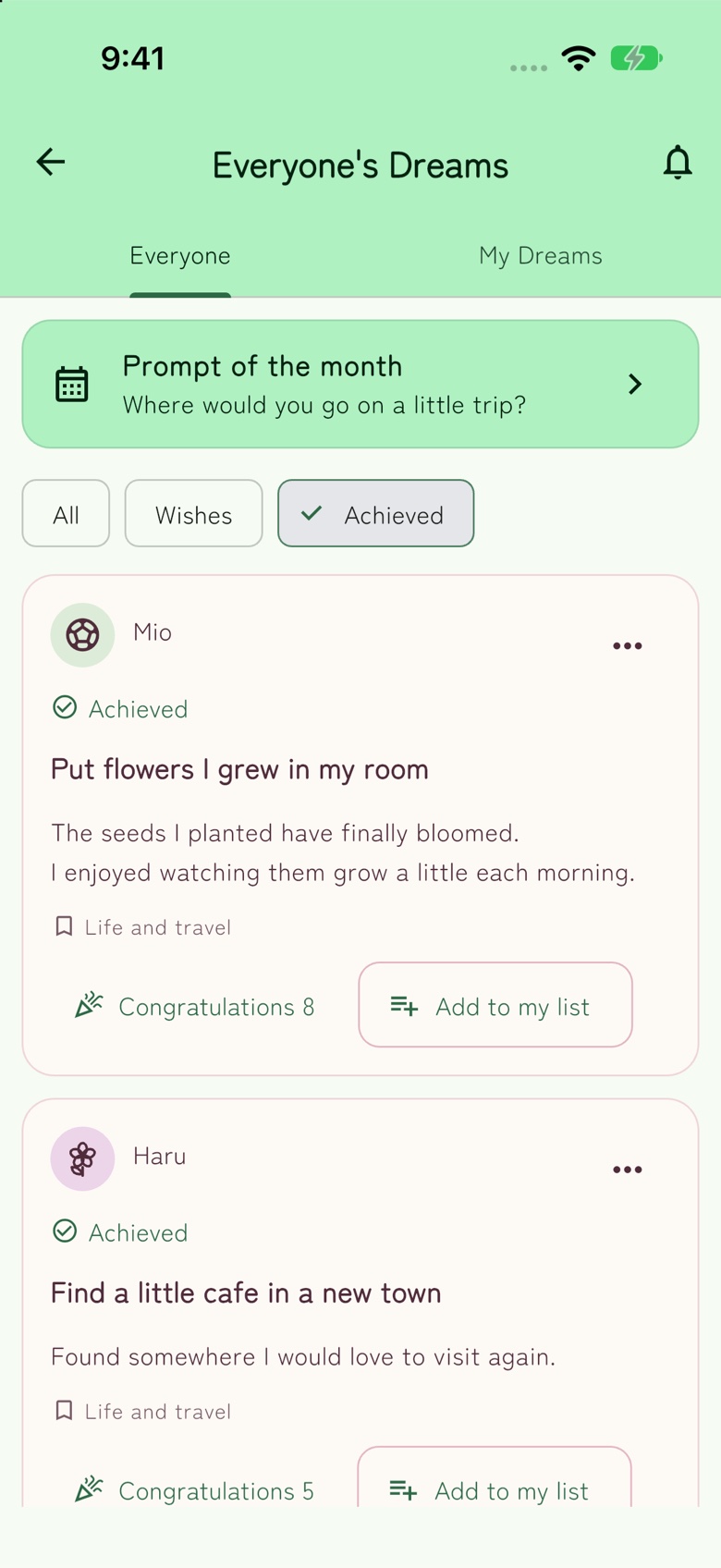
Explore the monthly topic or find inspiration in other people’s wishes. Share the achievements you choose, congratulate someone, or add an idea to your own list.
Sharing is optional. You can use your list and reflections entirely on your own.
Choose what suits you
Core features
Write wishes, mark achievements, keep photos and notes, imagine your future, reflect, back up and restore, and use basic designs. Sharing and community reactions are also available.
One-time packs
Choose a design pack with cards and a matching wallpaper, or the additional font pack. The content you purchase remains available after a Premium subscription ends.
Premium
Remove ads, use included designs, wallpapers and extra fonts, organize labels in bulk, and add and manage custom lists.
See current prices and included content in the app’s store screen. One-time design and font packs do not remove ads.
Start with one. Questions and ready-made ideas can help, and you can add more whenever something comes to mind.
Your personal list is not automatically published. You choose which cards to share with the community.
Export your records using the backup feature and restore them later. This is not automatic syncing between devices. Restore purchases through the store where you bought them.
Choose a card you like and make a little space for your own wishes.
Need help or have a suggestion? Include your app version and device model so we can look into it.
Contact app support Report or discuss a public post